January 22nd, 2026
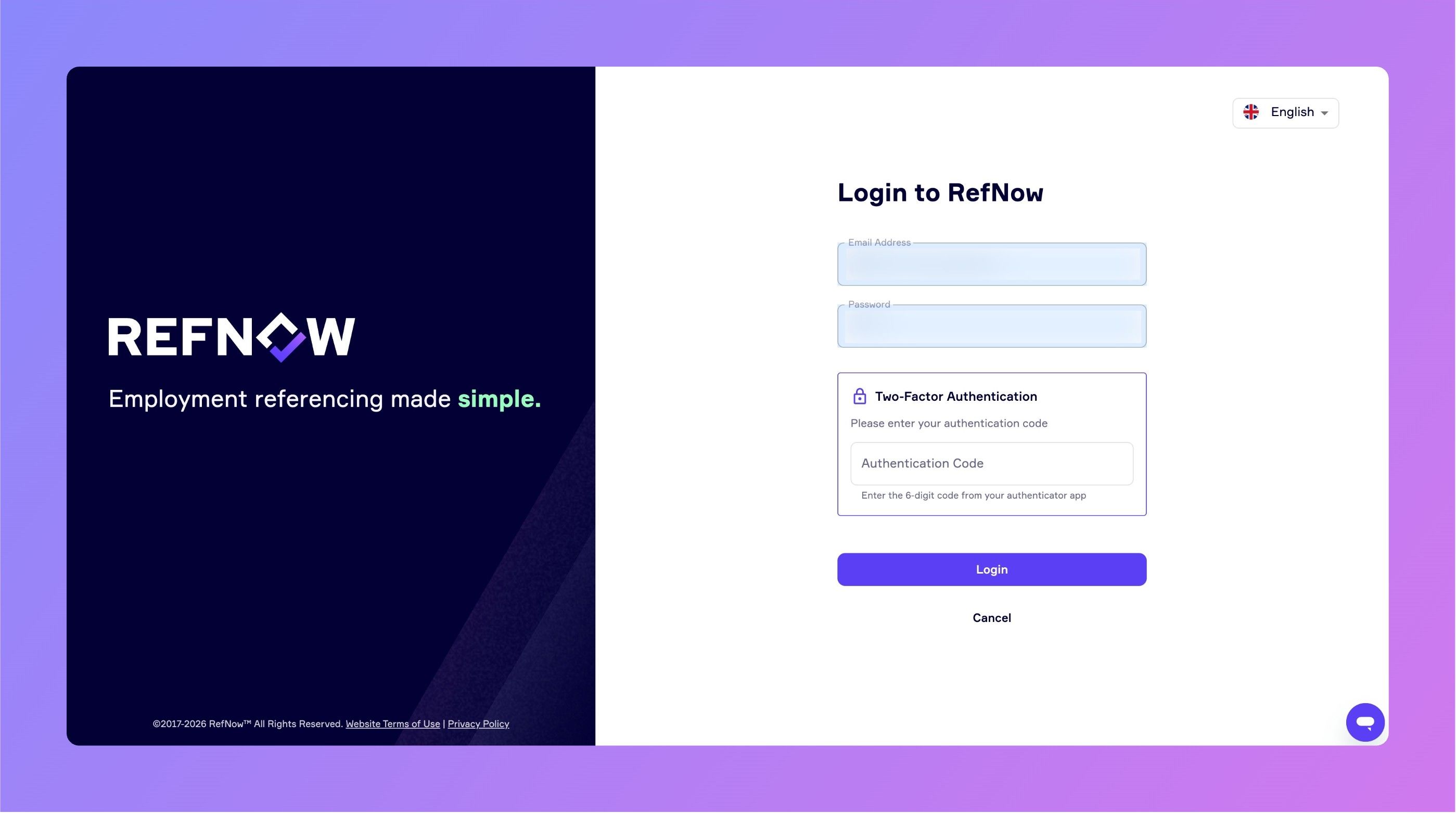
Keep Your Account More Secure with 2FA
We've added Two-Factor Authentication (2FA) to RefNow, giving you an extra layer of security when logging in.
What is 2FA?
When enabled, you'll need both your password and a 6-digit code from an authenticator app (like Google Authenticator) to log in. This means even if someone gets your password, they can't access your account without your phone.
How to Enable 2FA
Go to Settings → My Account
Find the Two-Factor Authentication section
Click Enable 2FA
Scan the QR code with your authenticator app
Enter the verification code and you're done!
For Admins
Super Admins and Team Admins can now see each user's 2FA status in the Users list, and can reset 2FA for users who have lost access to their authenticator app.
Industry Standards and Compliance
Many organisations now require 2FA for systems handling personal data - whether for ISO 27001 compliance, GDPR best practices, or internal security policies. By adding 2FA to RefNow, we're helping you meet these requirements without needing third-party solutions.
January 16th, 2026
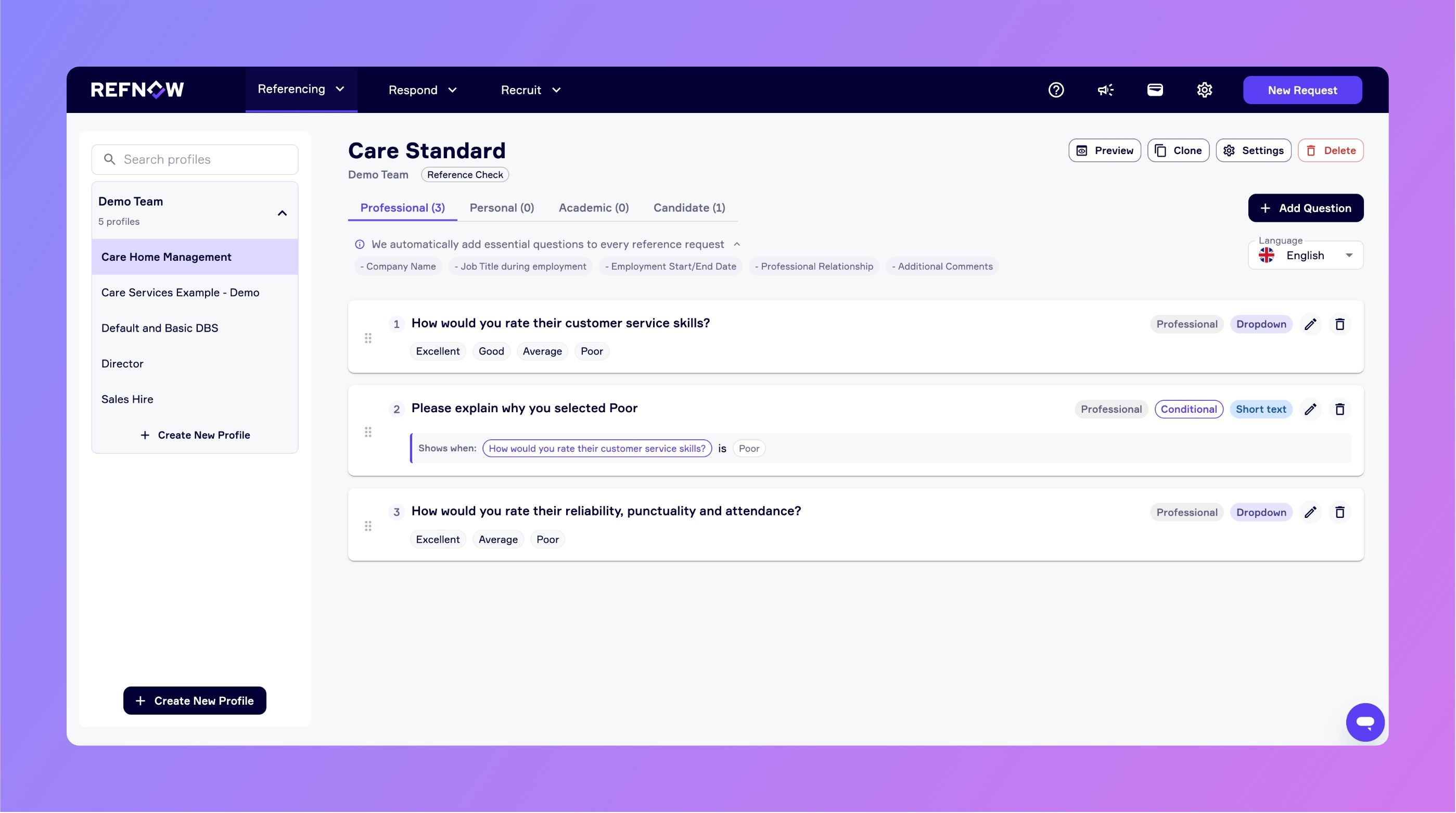
We're excited to introduce Conditional Questions to RefNow, giving you the power to create dynamic reference forms that adapt based on referee responses.
What's New?
You can now create questions that appear or hide automatically based on answers to previous questions. Set up conditions using AND/OR logic to show questions only when relevant.
Example Use Cases
Example 1: Management Experience
Question: "Did they have direct reports?" → If "Yes", show: "How many people did they manage?"
Example 2: Performance Issues
Question: "Would you rehire them?" → If "No", show: "What were the main reasons you wouldn't rehire them?"
Example 3: Specific Skills
Question: "What was their primary role?" → If "Sales" or "Business Development", show: "What was their average monthly sales target?"
These new capabilities help you reduce form fatigue, gather deeper insights, and create more focused reference experiences.
How to Start Using Them
Head to the Question Profiles page and edit or create a new question. You'll see a new "Add Conditional Logic" option where you can:
Select a previous Dropdown or Radio List question to depend on
Choose an operator and answer value(s) that trigger the question
Add multiple conditions using AND/OR logic as needed
Questions with conditional logic are clearly marked, and you can preview your question flow to test conditions before going live by clicking Preview → Preview Questions.
Learn more about using Conditional Questions in this article.
Built with Your Input
This feature was developed based on feedback from our users who wanted more flexibility in creating personalised reference experiences. If you have ideas for what we should build next, we'd love to hear from you - visit Settings → Feedback in the app to send us your suggestions.
September 2nd, 2025
New
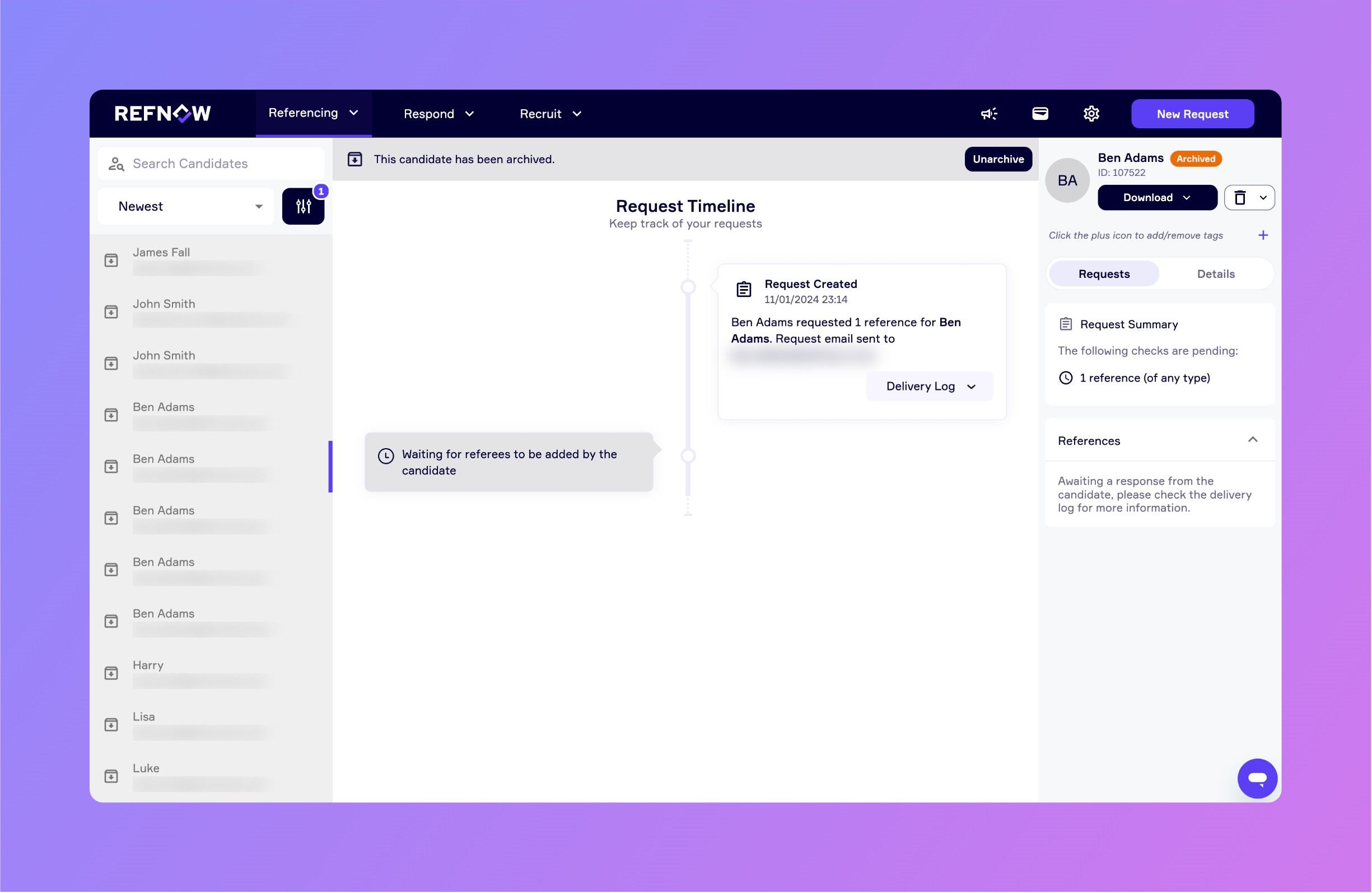
We’ve introduced a highly requested update to help you manage candidate requests more efficiently. You can now archive candidate requests to keep your candidate list clear and focused.
Archived candidates aren’t gone; simply use the filters panel to display archived requests and unarchive them whenever needed.
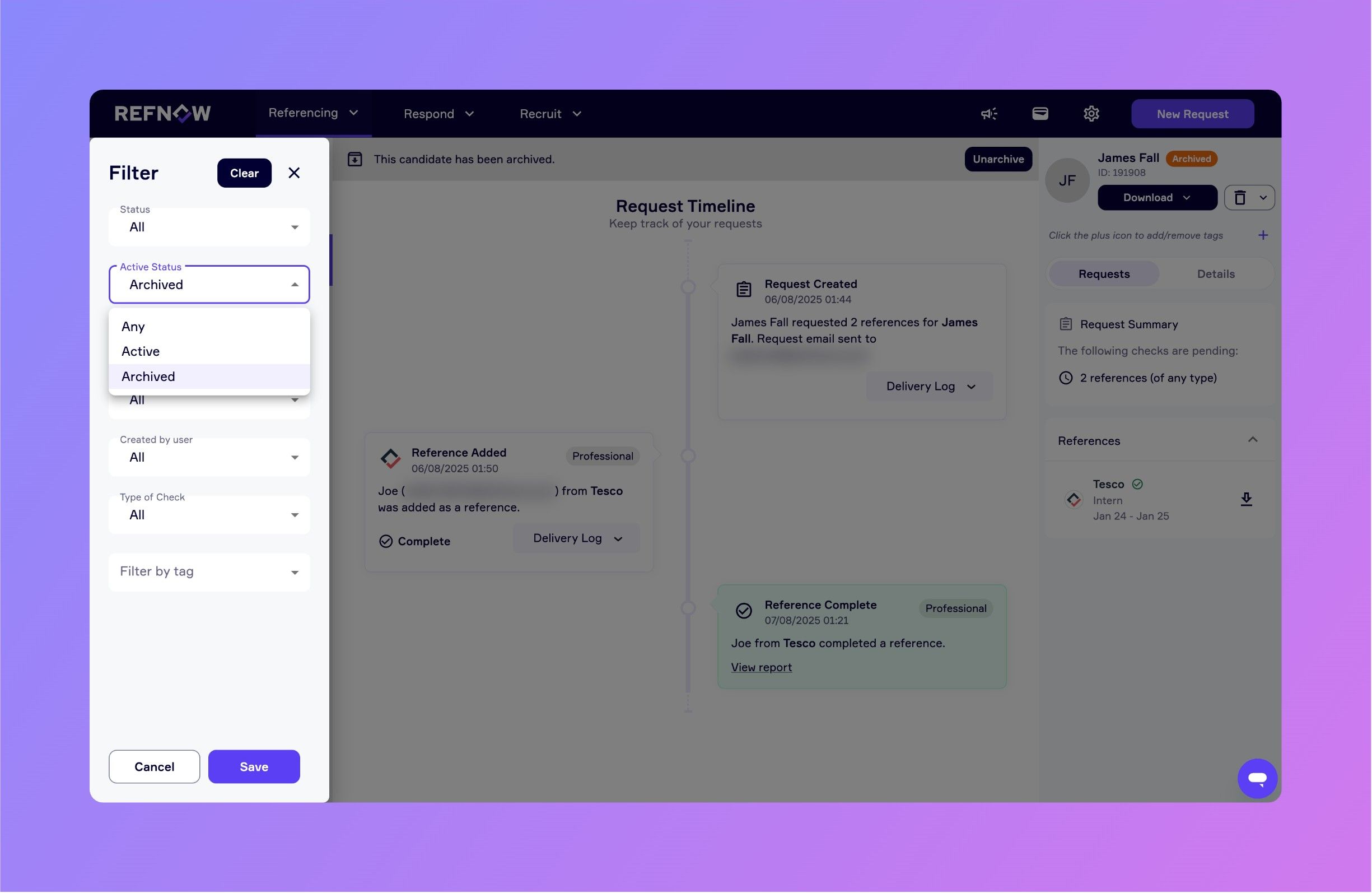
This enhancement gives you greater control over how you organise and review candidates, helping you maintain a streamlined workflow.
July 2nd, 2025
New
Improved
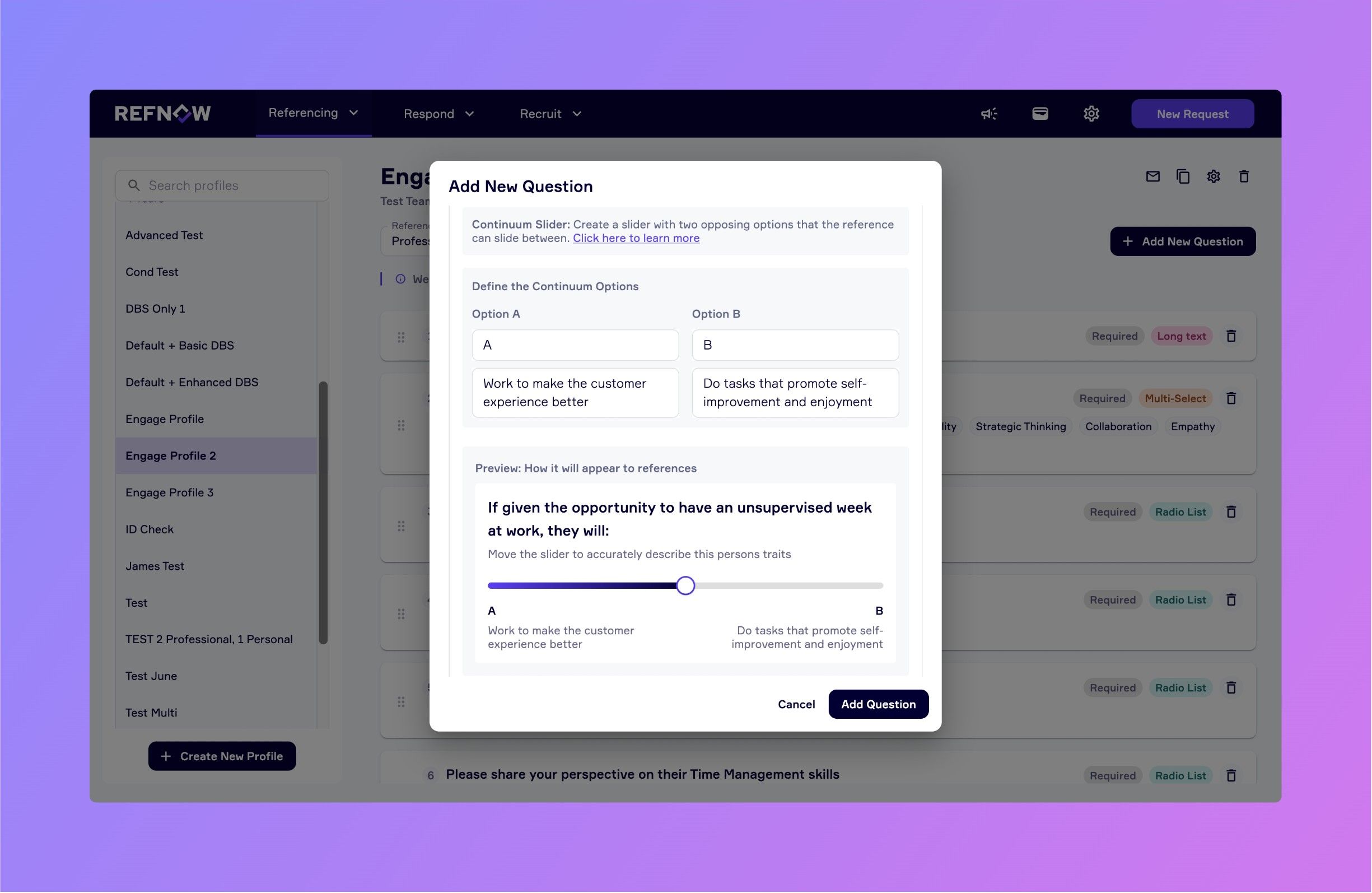
We’re thrilled to introduce three powerful new question formats in the RefNow platform, designed to give you even deeper, more nuanced insights from your references.
What's New?
You can now create custom reference questions using three brand-new formats:
Radio List: Present a set of options where the reference can select one answer. Great for clarity and consistency.
Multi-Select: Allow referees to choose up to five options from a list, ideal for capturing multiple relevant behaviours or qualities.
Continuum Slider: Let references place a candidate on a spectrum between two ends. For example:
If given an unsupervised week at work, they would...
A) Work to make the customer experience better
B) Focus on self-improvement and enjoymentReferences can now drag a slider to indicate where they believe the candidate falls. This type of input is perfect for assessing tendencies and soft skills in a more balanced, human way.
💡 Why This Matters
These new formats are built to help you:
Craft more engaging, relevant questions
Gather richer, more actionable insights
Better assess cultural fit and working style
Tailor your reference process to match your organisation’s values
How to Start Using Them
Head to your RefNow portal and edit or create a new custom question. You’ll now see the new format options available. Choose the one that best suits your question and your team's insight needs.
❤️ Built with Your Input
This feature set was shaped directly by feedback from our users. If you have ideas for what we should build next, we’d love to hear from you. RefNow is built to serve your process, not the other way around.
June 18th, 2025
New
Improved
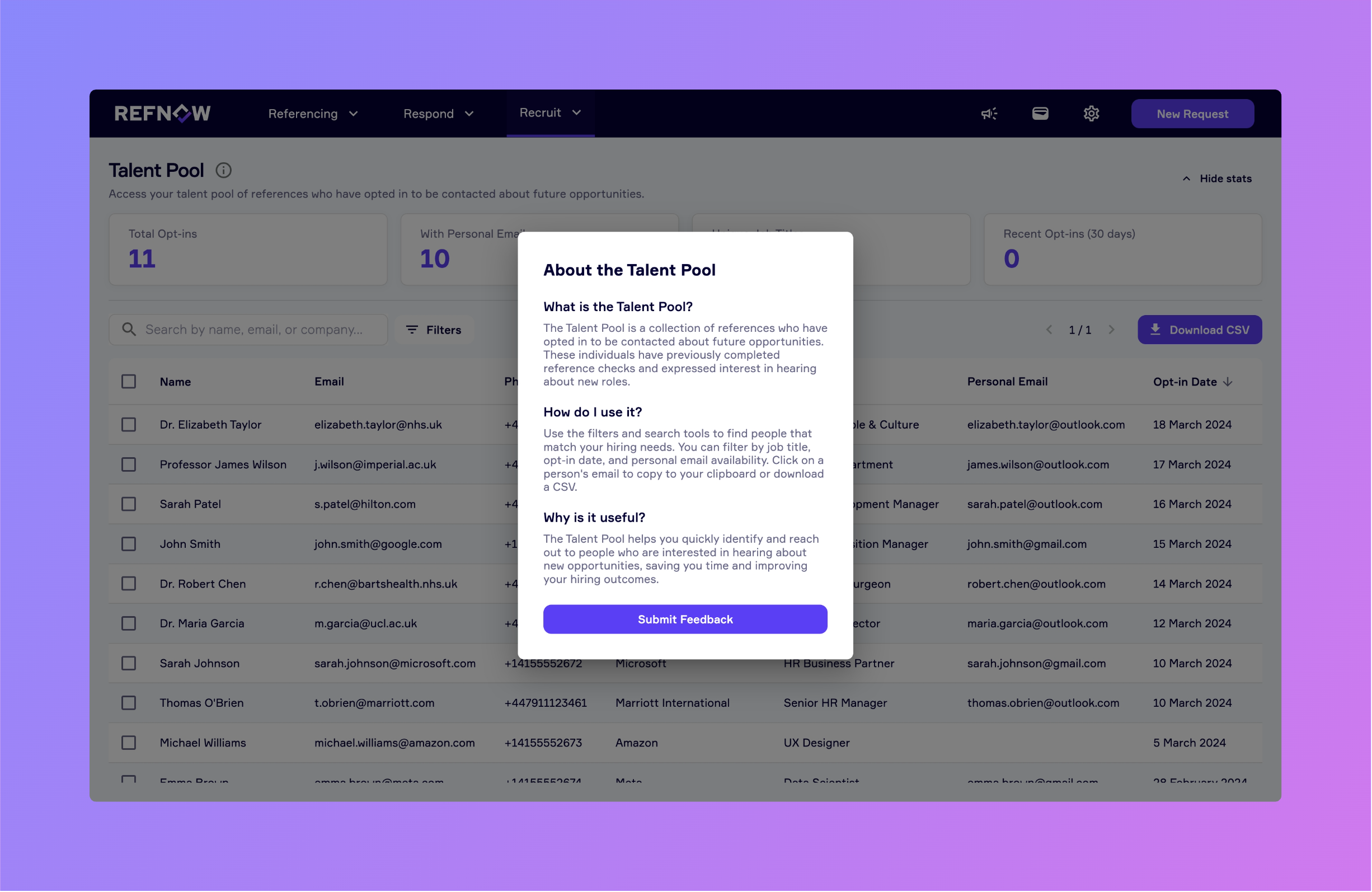
Hello RefNow Community,
We’re pleased to share our latest release, packed with improvements to help you manage your talent pool more effectively, and a few quality-of-life updates elsewhere in the app. Here’s what’s new:
Talent Pool Redesign
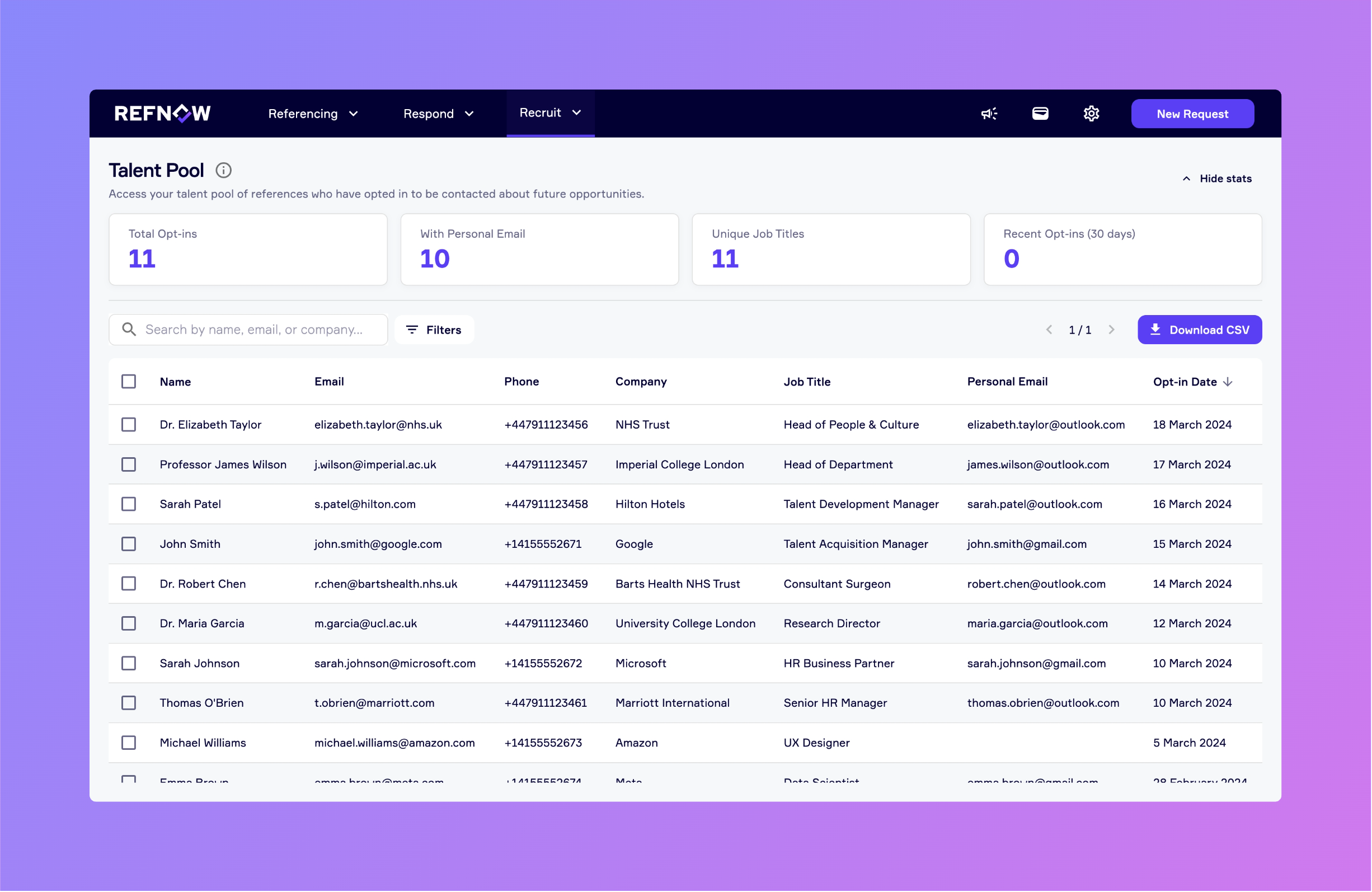
Dashboard-Style Overview: At the top of the talent pool page, you’ll now see key stats displayed in a clean, at-a-glance dashboard.
Enhanced Sorting & Filtering: Filter and sort your talent pool by job title, date added, or free-text search to quickly zero in on the candidates you need.
In-Context Guidance: A new information popup walks you through how to use the redesigned talent pool, no more guesswork.
Bulk & Single Deletion: Need to remove outdated contacts? You can now delete one or multiple subscribers with a single click.
Coming Soon
Traffic-Light Status Flags: We’ll introduce a simple green/yellow/red system so you can flag candidates by priority or progress.
Expanded Opt-In Questions: Soon, new questions (like location) will help you categorise and understand subscribers better before you start reaching out.
Other Updates
Improved Load Performance: We’ve squashed several bugs affecting initial request loading; expect faster, smoother performance.
Changelog Popup: The announcements dropdown now opens our changelog in a dedicated popup, so you can catch up on updates without leaving the page.
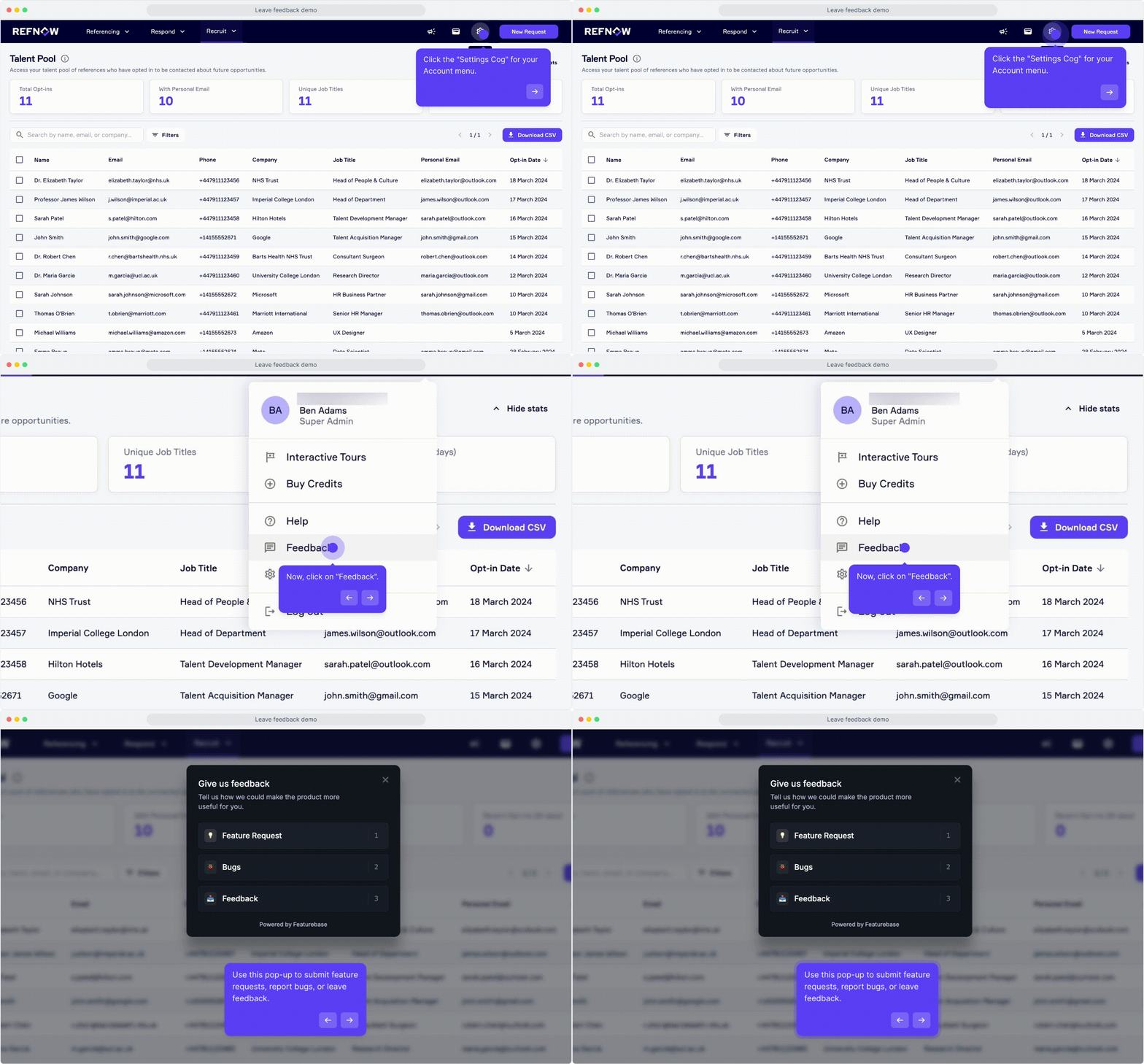
We’d love your feedback! If you have thoughts or suggestions, please click the Feedback button in your account menu to let us know.
May 21st, 2025
New
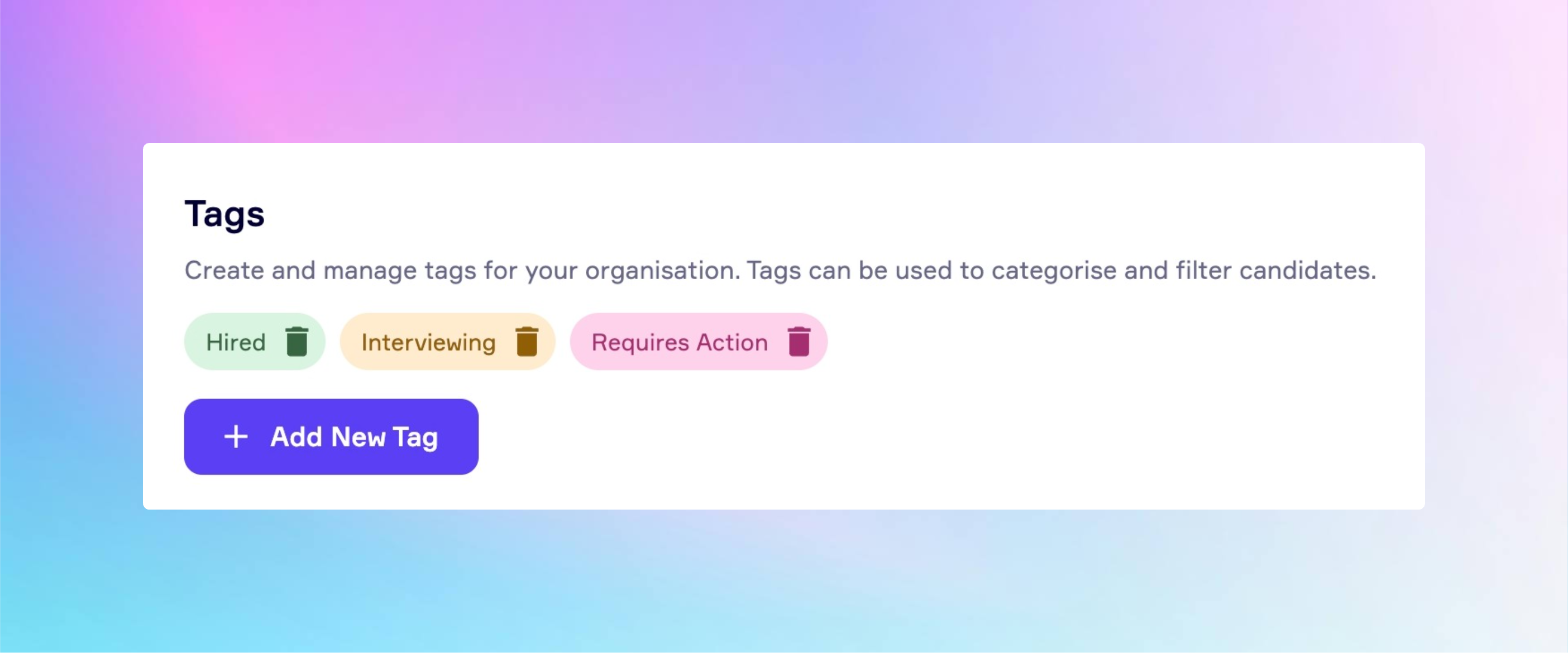
We’re excited to introduce a powerful new update to the RefNow platform: Candidate Tagging is now available.
What is it?
You can now add custom tags to candidates in your account, created and managed by your organisation’s admin. Whether it’s “Hired”, “Requires Attention”, “Awaiting Response”, or “Reference Complete”, this feature gives your team the flexibility to organise and manage candidates in a way that reflects your specific workflow and priorities. Tags are an internal feature, this means that candidates will not see any tags you’ve added.
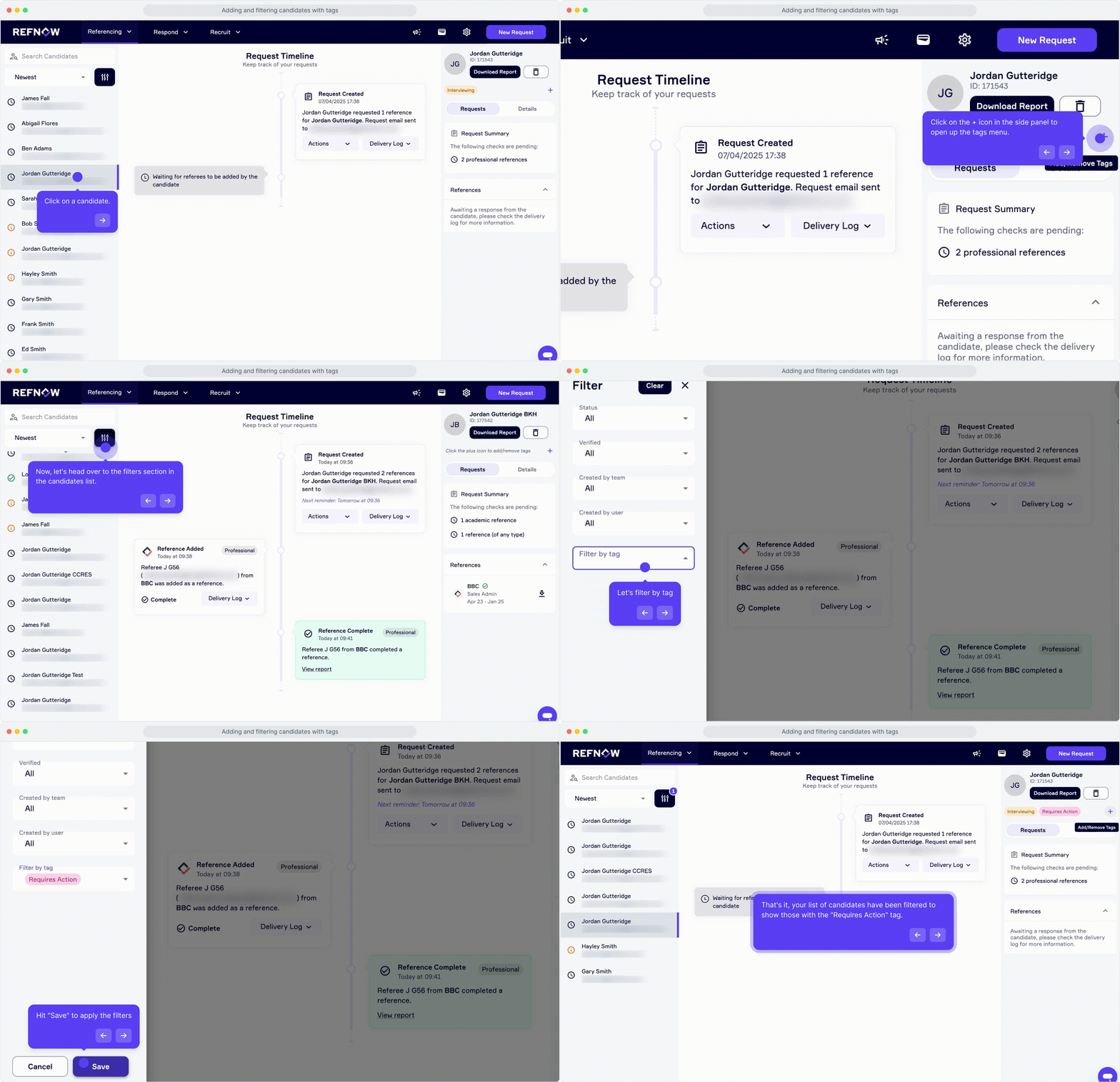
Here’s a quick GIF demonstrating how you can add tags to your candidates. Please note that in order to add tags, your organisation's admin must create them first. Click here to watch a demo on how they can do that.
Why it matters
With large volumes of reference requests, it can be challenging to stay on top of every candidate. This new feature helps you:
Stay organised with tailored tags that suit your internal processes
Quickly filter candidates based on tag categories
Collaborate more effectively across your team
Maintain a system that aligns closely with your hiring goals
Built from your feedback
Candidate Tagging was one of the most requested features from our users, and we’re thrilled to bring it to life. Your feedback plays a vital role in shaping the RefNow platform. If there’s a feature you’d love to see next, we’re always listening.
💡 Start using Candidate Tags today and experience a more streamlined way to manage your candidates.
🔗 Log in to your RefNow account to try it out.
April 2nd, 2025
New
Improved
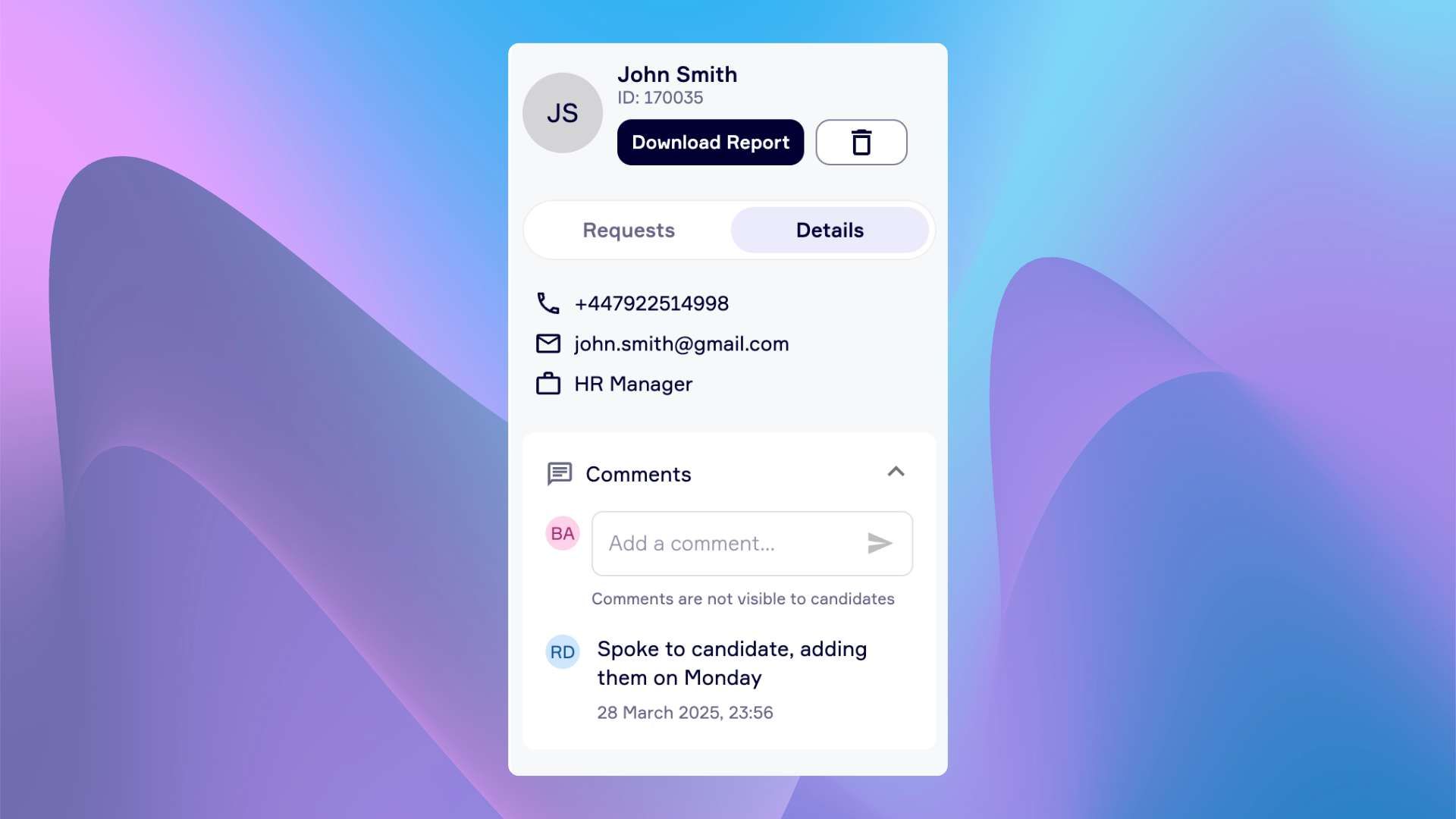
💬 Comments (New feature)
Internal comments are now live.
Add private notes about each candidate. Only visible to your team.
Examples:
Add context about why a reference is needed
Flag any concerns or internal discussions
Keep a record of hiring manager feedback
No more scattered notes or lost Slack threads. Everything stays in one place - where your team needs it.
Comments are for Internal use only - not visible to candidates
🔍 Enhanced Candidate Sidebar
A cleaner, more organised view of each candidate - everything you need, right where you need it.
Tabbed Interface
Switch between two focused tabs:
• Requests - View all reference, Digital ID, and DBS requests
• Candidate Details - Access personal details and internal comments
Request Summary (Inside the Requests Tab)
Get a quick overview of what’s been requested, completed, or still pending - all in one place.
⚙️ How to Access
Click on any candidate request.
You’ll find the updated sidebar on the right - explore tabs, add comments, and check request progress instantly.
We hope these updates give you more control and clarity.
As always, we’d love your feedback - thank you for choosing RefNow.
March 19th, 2025
New
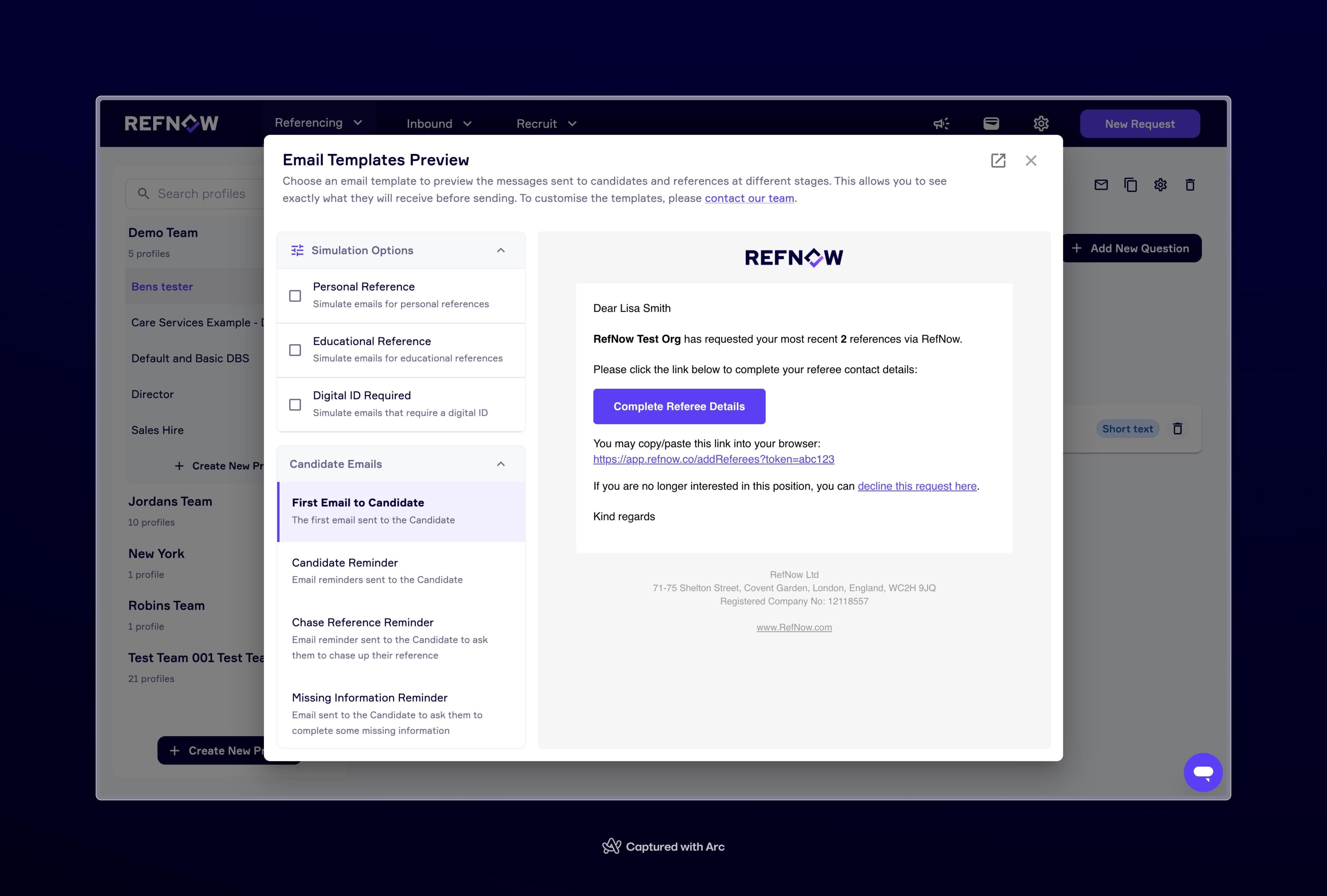
We’re making it even easier for you to understand what happens behind the scenes at RefNow! With our latest update, you can now preview the exact email templates sent throughout the referencing process - whether that’s to candidates, referees, or employers.
What’s New?
✅ Full transparency – See the wording, branding, and links included in every email.
✅ Scenario-based previews – View how emails change based on different reference types (e.g., educational vs. personal references, digital ID checks, etc.). You can do this by selecting an option in the Simulation Options section.
✅ Closer control – While you can’t edit these templates directly, you’ll know exactly what’s being sent on your behalf.
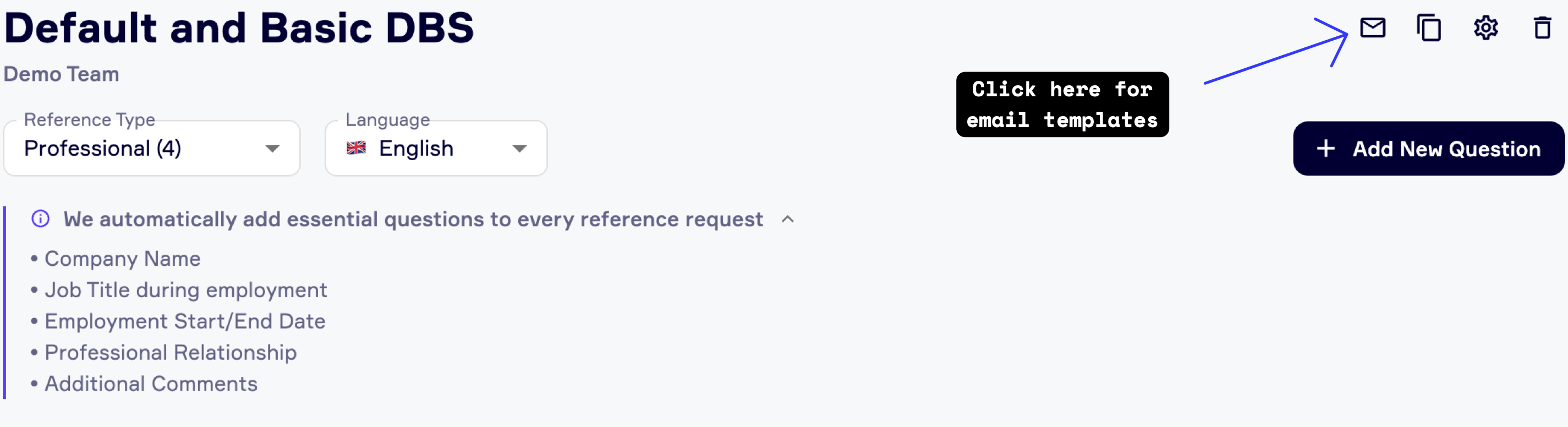
Want Custom Branding?
Did you know you can customise your email templates to match your company’s branding?
From logos to colours, ensure every email looks and feels like your company. Simply reach out to [email protected] to get set up!
🚀 This update also includes performance enhancements to keep everything running smoothly.
Log in now to check out the new feature!
February 25th, 2025
New
Improved
Design
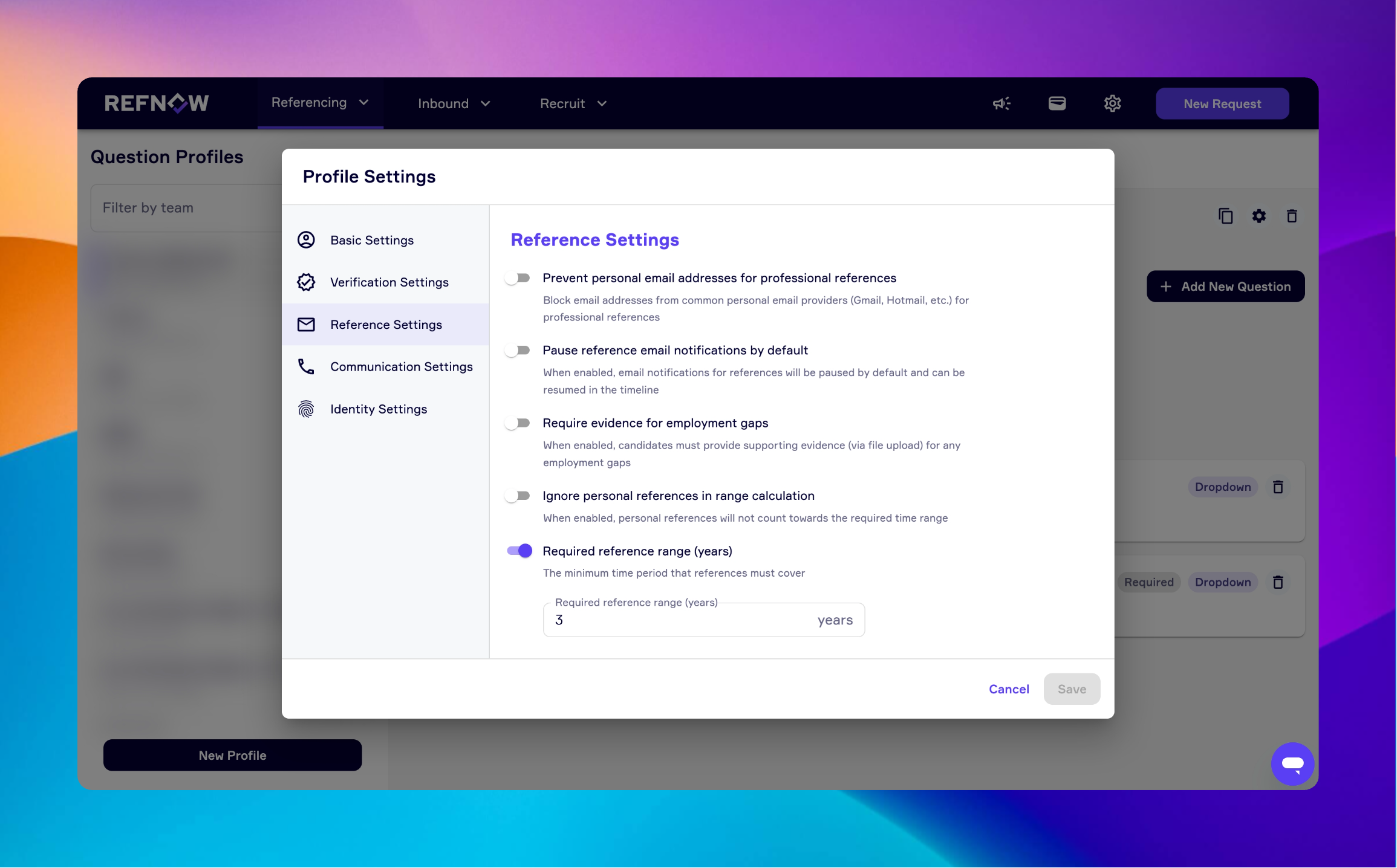
We’ve introduced several updates to make managing references and checks more efficient.
Question Profile Settings – More Control, More Flexibility
A highly requested feature is now available. Users can manage settings for each question profile individually, including:
Setting required reference ranges
Controlling whether employment gaps are allowed
Preventing personal email addresses (e.g., Hotmail, Gmail)
Collecting NI/Tax ID numbers and date of birth
Allowing or disallowing candidates and referees to skip identity verification steps
Ignoring personal references when calculating time range references
Disabling voice calls for candidates and referees
Setting a default candidate message that is automatically sent when they receive the first email
These new options provide even greater flexibility in customising the reference process to suit your needs.
🚀 In Case You Missed It!
Users can now request a DBS-only check, removing the need to bundle it with a reference check. This allows for:
More control over which checks are performed
Cost savings when a reference check is not required
The option to use RefNow as a single platform for reference checks, DBS, and Digital ID/Right to Work in the UK
User Role Visibility in Navigation Bar
A small but useful update: the account menu in the navigation bar now displays the user’s role, whether they are a User, Team Admin, or Super Admin.
These updates are designed to improve usability and efficiency. Let us know if you have any feedback.
February 11th, 2025
New
Improved
Design
Hello RefNow Community,
We’re pleased to share our latest update designed to streamline your workflow and enhance your overall experience. This update includes a series of thoughtful improvements and new features based on your valuable feedback.
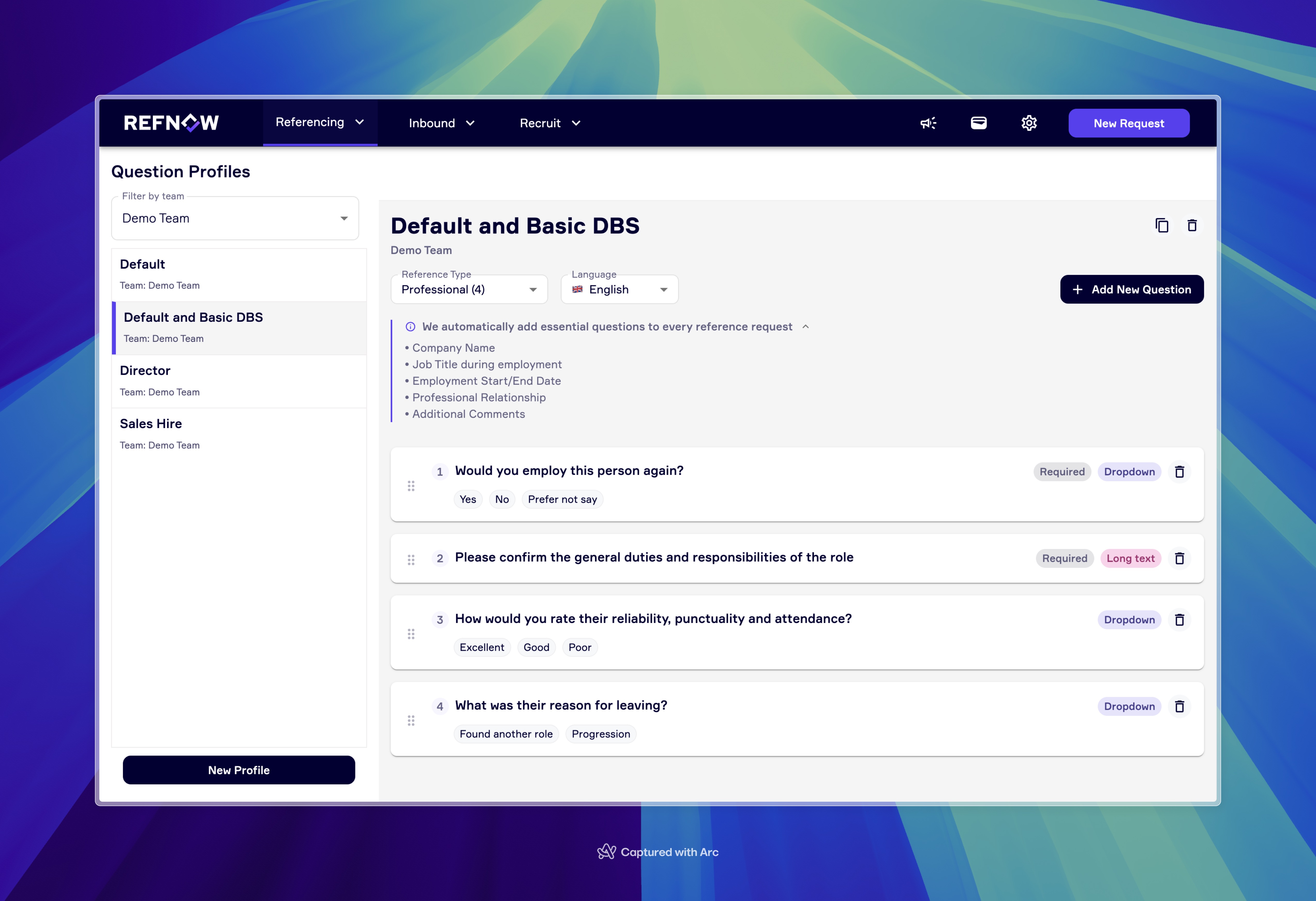
1. Question Profiles Redesign V1 💅
We’ve refined the question profiles to make managing your references simpler and more efficient. Key enhancements include:
Improved Drag & Drop: Enjoy smoother drag-and-drop functionality with a clear sorting order.
Updated Visual Design: New colours for question types offer a cleaner, more intuitive look.
Easy Switching: Quickly toggle between professional, personal, and academic questions.
At-a-Glance Insights: Instantly see how many questions exist in each reference category without extra steps.
Add Question Improvements: Our brand new interface makes it simpler to add questions, select different types, and clearly see more information about each question type.
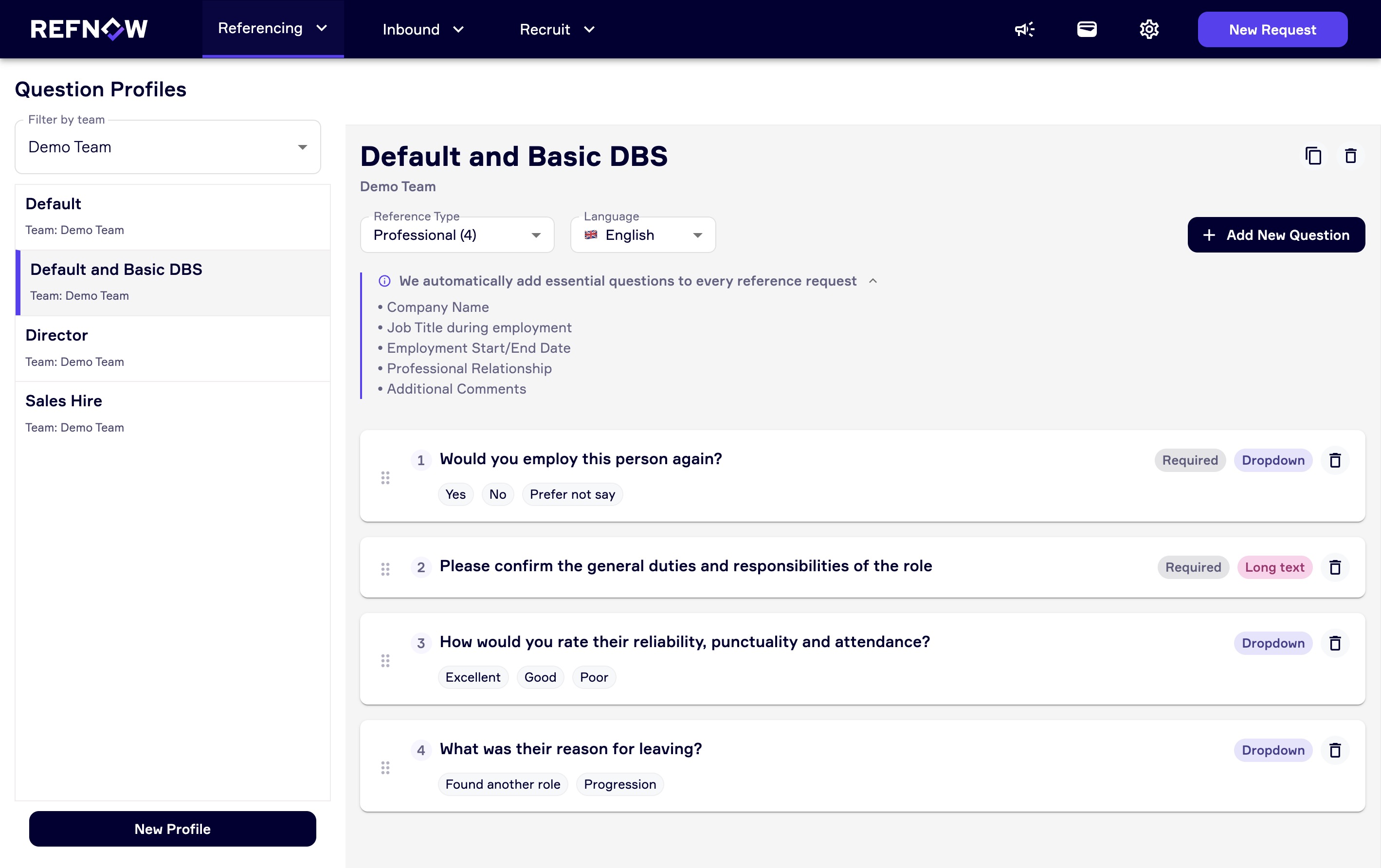
✨ Coming Soon: Look out for upcoming options to add additional question types directly from the RefNow portal, including radio options, multi-select, and a continuum slider for more dynamic responses. (These are currently available via request.)
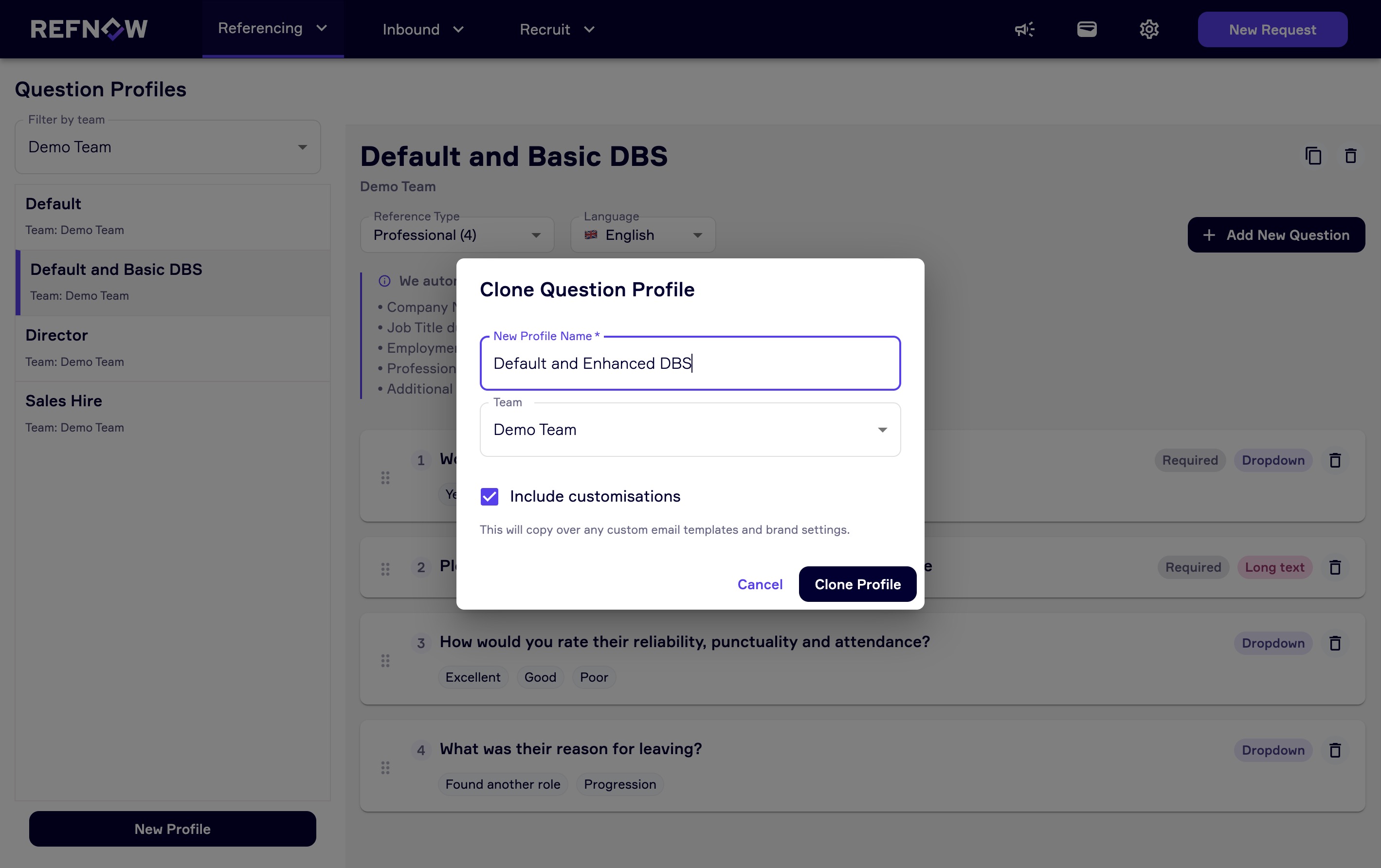
2. Clone Question Profiles 🚀
We’ve FINALLY introduced the ability to clone existing question profiles. Now you can duplicate a profile and easily add or remove questions - eliminating the need to retype details or wait for support. This change gives you greater flexibility to customise your profiles on the fly.
3. Request a DBS Check Directly in RefNow ✨
In response to your feedback, you can now request a DBS check as a standalone option within the RefNow portal. Previously bundled with reference checks, this update allows you to manage DBS checks without using up your reference credits. A few administrative steps are required to set up your account for DBS checks - please reach out to our team if you’d like assistance with this process.
For assistance in setting up your account for DBS-only requests, please email our sales team at [email protected] or schedule a meeting with us directly.
We’re committed to continuous improvement and hope these updates make your experience even better. If you have any questions or need support, our team is here to help.
Best regards,
The RefNow Team