May 21st, 2025
New
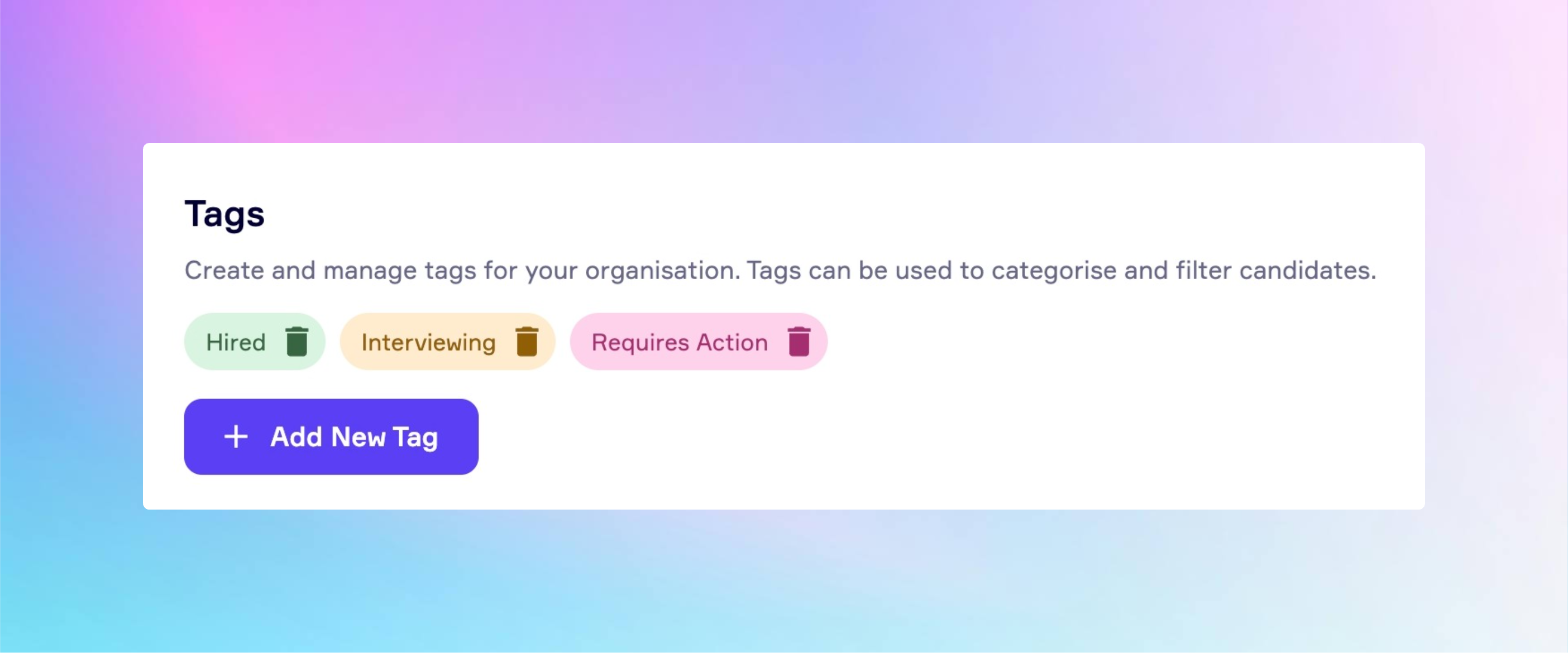
🏷️ New Feature Alert: Candidate Tags Are Here!
We’re excited to introduce a powerful new update to the RefNow platform: Candidate Tagging is now available.
What is it?
You can now add custom tags to candidates in your account, created and managed by your organisation’s admin. Whether it’s “Hired”, “Requires Attention”, “Awaiting Response”, or “Reference Complete”, this feature gives your team the flexibility to organise and manage candidates in a way that reflects your specific workflow and priorities. Tags are an internal feature, this means that candidates will not see any tags you’ve added.
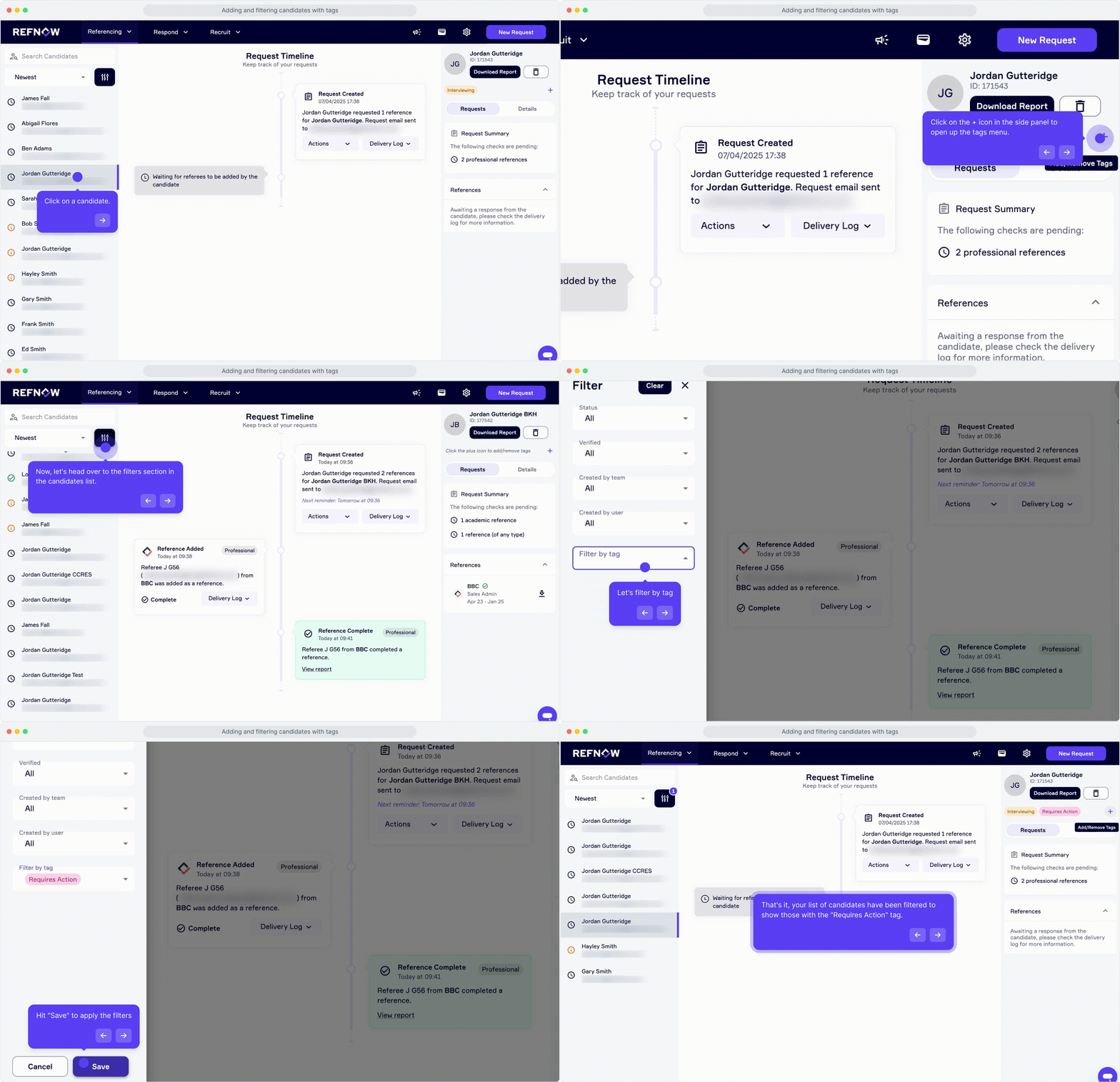
Here’s a quick GIF demonstrating how you can add tags to your candidates. Please note that in order to add tags, your organisation's admin must create them first. Click here to watch a demo on how they can do that.
Why it matters
With large volumes of reference requests, it can be challenging to stay on top of every candidate. This new feature helps you:
Stay organised with tailored tags that suit your internal processes
Quickly filter candidates based on tag categories
Collaborate more effectively across your team
Maintain a system that aligns closely with your hiring goals
Built from your feedback
Candidate Tagging was one of the most requested features from our users, and we’re thrilled to bring it to life. Your feedback plays a vital role in shaping the RefNow platform. If there’s a feature you’d love to see next, we’re always listening.
💡 Start using Candidate Tags today and experience a more streamlined way to manage your candidates.
🔗 Log in to your RefNow account to try it out.