Changelog

Follow new updates and improvements to RefNow.

✨ Ask Smarter: New Question Types Now Available!
We’re thrilled to introduce three powerful new question formats in the RefNow platform, designed to give you even deeper, more nuanced insights from your references.

What's New?

You can now create custom reference questions using three brand-new formats:

  • Radio List: Present a set of options where the reference can select one answer. Great for clarity and consistency.

  • Multi-Select: Allow referees to choose up to five options from a list, ideal for capturing multiple relevant behaviours or qualities.

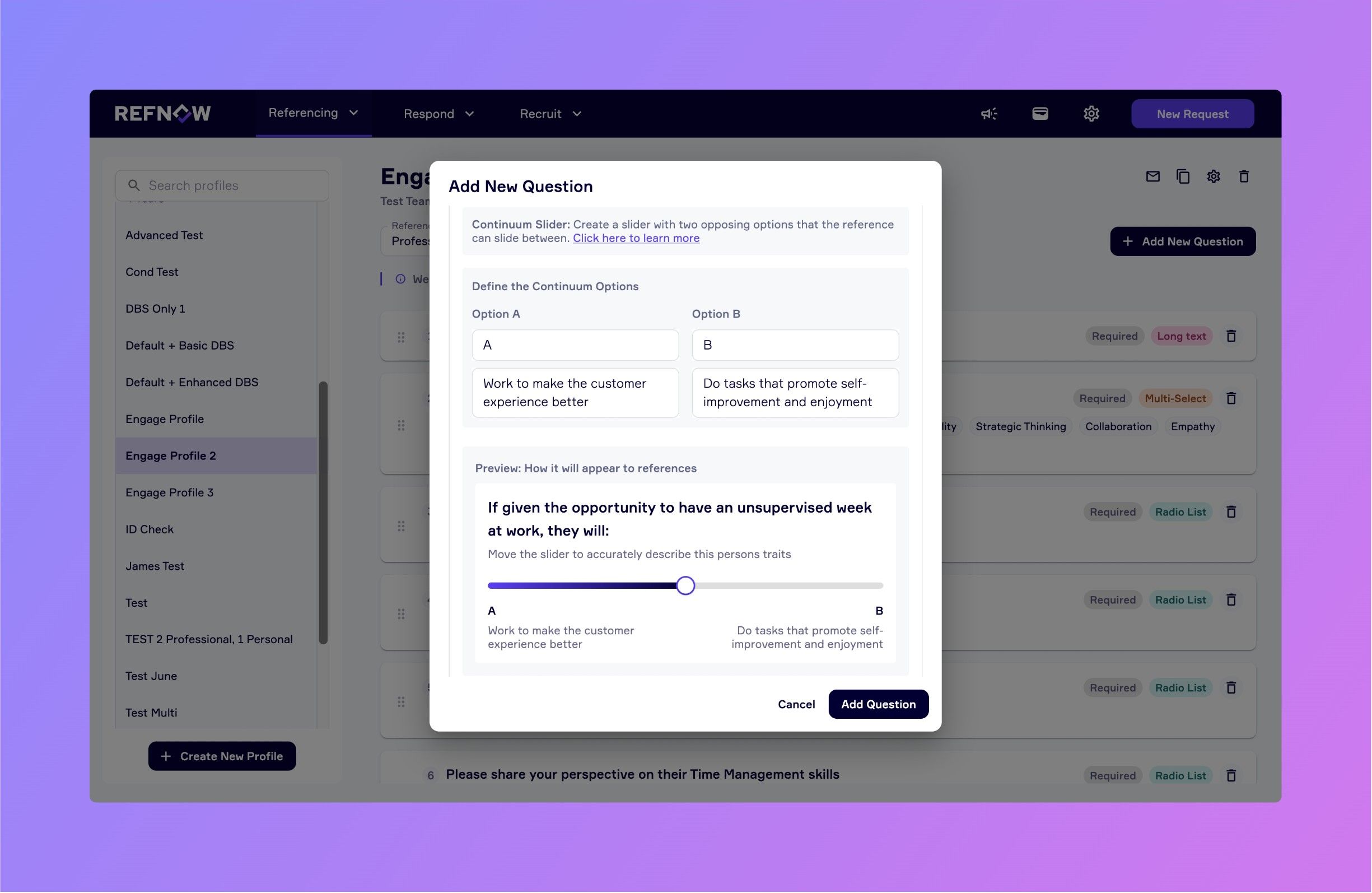
  • Continuum Slider: Let references place a candidate on a spectrum between two ends. For example:

    If given an unsupervised week at work, they would...
    A) Work to make the customer experience better
    B) Focus on self-improvement and enjoyment

    References can now drag a slider to indicate where they believe the candidate falls. This type of input is perfect for assessing tendencies and soft skills in a more balanced, human way.


💡 Why This Matters

These new formats are built to help you:

  • Craft more engaging, relevant questions

  • Gather richer, more actionable insights

  • Better assess cultural fit and working style

  • Tailor your reference process to match your organisation’s values


How to Start Using Them

Head to your RefNow portal and edit or create a new custom question. You’ll now see the new format options available. Choose the one that best suits your question and your team's insight needs.


❤️ Built with Your Input

This feature set was shaped directly by feedback from our users. If you have ideas for what we should build next, we’d love to hear from you. RefNow is built to serve your process, not the other way around.
NewImproved

Talent Pool Redesign & App Performance Enhancements

Hello RefNow Community,

We’re pleased to share our latest release, packed with improvements to help you manage your talent pool more effectively, and a few quality-of-life updates elsewhere in the app. Here’s what’s new:


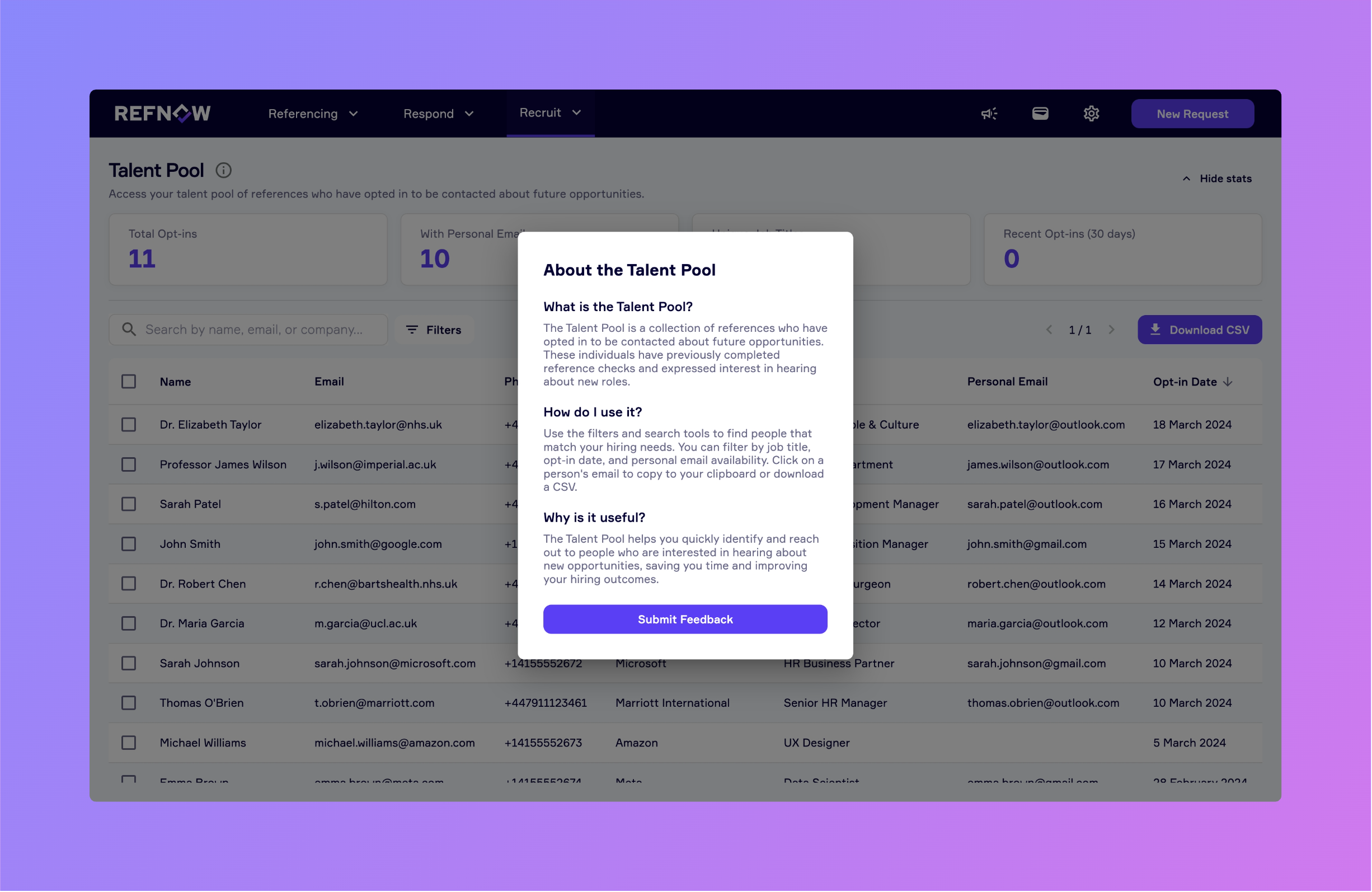
Talent Pool Redesign

  • Dashboard-Style Overview: At the top of the talent pool page, you’ll now see key stats displayed in a clean, at-a-glance dashboard.

  • Enhanced Sorting & Filtering: Filter and sort your talent pool by job title, date added, or free-text search to quickly zero in on the candidates you need.

  • In-Context Guidance: A new information popup walks you through how to use the redesigned talent pool, no more guesswork.

  • Bulk & Single Deletion: Need to remove outdated contacts? You can now delete one or multiple subscribers with a single click.


Coming Soon

  • Traffic-Light Status Flags: We’ll introduce a simple green/yellow/red system so you can flag candidates by priority or progress.

  • Expanded Opt-In Questions: Soon, new questions (like location) will help you categorise and understand subscribers better before you start reaching out.


Other Updates

  • Improved Load Performance: We’ve squashed several bugs affecting initial request loading; expect faster, smoother performance.

  • Changelog Popup: The announcements dropdown now opens our changelog in a dedicated popup, so you can catch up on updates without leaving the page.


We’d love your feedback! If you have thoughts or suggestions, please click the Feedback button in your account menu to let us know.

NewImproved

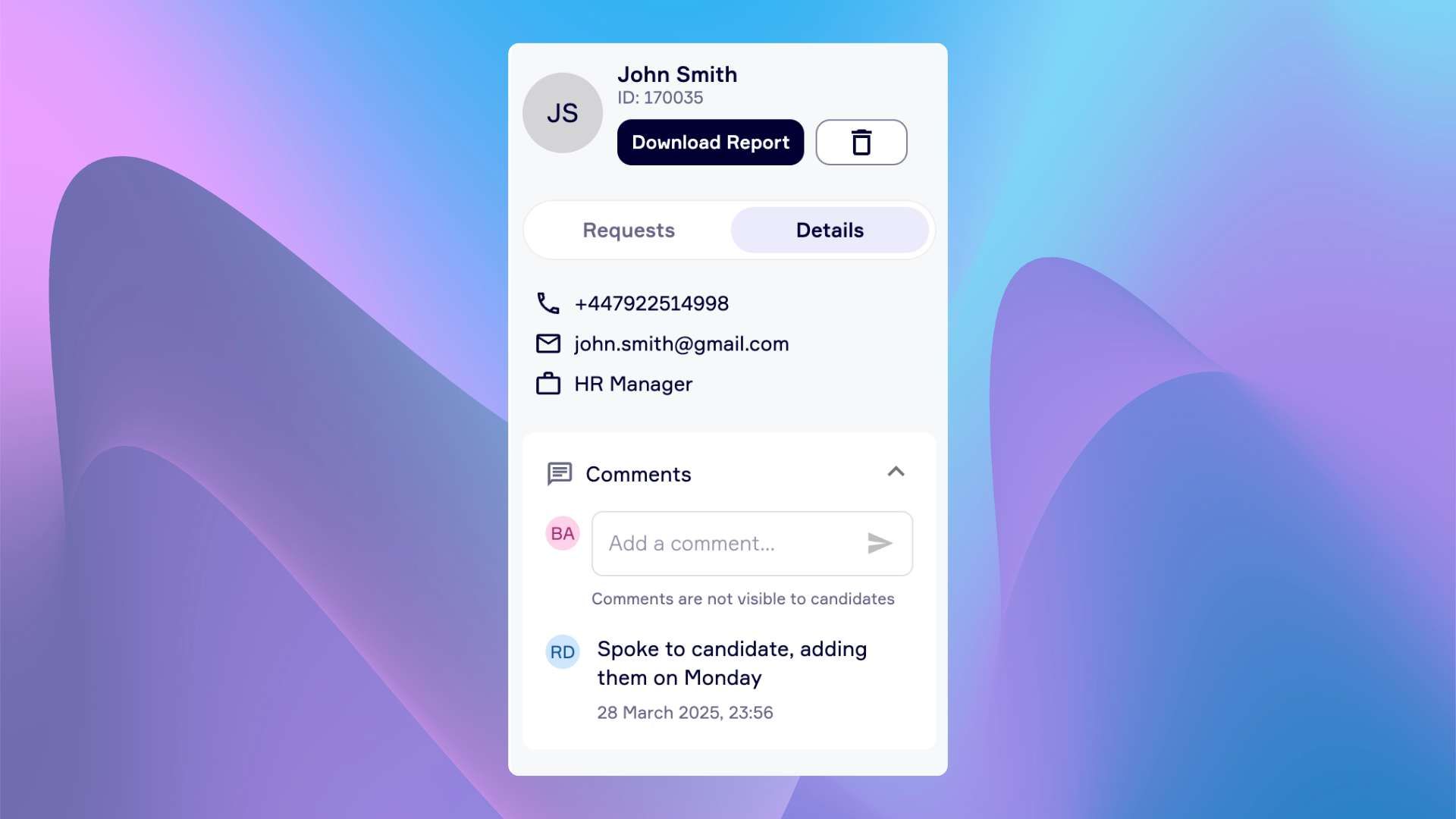
Introducing Team-Only Comments

💬 Comments (New feature)

Internal comments are now live.

Add private notes about each candidate. Only visible to your team.

Examples:

  • Add context about why a reference is needed

  • Flag any concerns or internal discussions

  • Keep a record of hiring manager feedback

No more scattered notes or lost Slack threads. Everything stays in one place - where your team needs it.

Comments are for Internal use only - not visible to candidates


🔍 Enhanced Candidate Sidebar

A cleaner, more organised view of each candidate - everything you need, right where you need it.

Tabbed Interface

Switch between two focused tabs:
• Requests - View all reference, Digital ID, and DBS requests
• Candidate Details - Access personal details and internal comments

Request Summary (Inside the Requests Tab)

Get a quick overview of what’s been requested, completed, or still pending - all in one place.


⚙️ How to Access

Click on any candidate request.

You’ll find the updated sidebar on the right - explore tabs, add comments, and check request progress instantly.


We hope these updates give you more control and clarity.
As always, we’d love your feedback - thank you for choosing RefNow.

NewImproved

Earlier updates